


















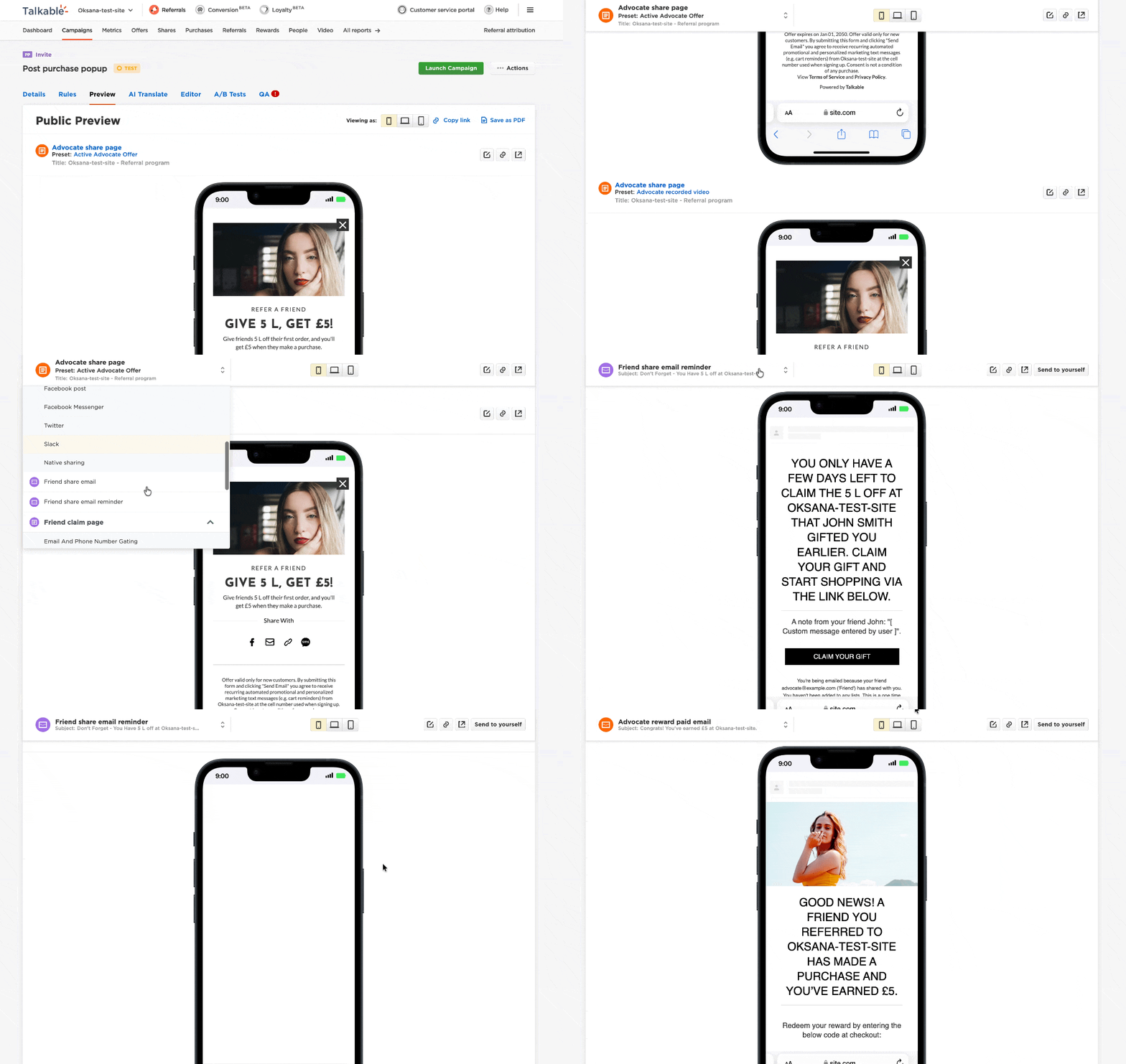
Reviewing a campaign preview with multiple sections used to mean a lot of scrolling. Now it doesn’t.
We’ve added a sticky navigation menu to the Campaign Preview page. It stays visible as you scroll, so you can jump between sections instantly — without losing your place or scrolling all the way back to the top.
Here’s how it works:
- A navigation bar sticks to the top of the page as you scroll through a campaign preview
- The active section is highlighted automatically so you always know where you are
- Click any section to jump directly to it — the URL updates so you can link to a specific view
- Responsive layout — works across different screen sizes
For teams reviewing campaigns with multiple states — referral widget, emails, share pages — this means faster review cycles and less friction when checking your work before going live.
See How We Can Help Your Brand Grow
Learn how Talkable's referral and loyalty platform drives measurable revenue for 1000+ ecommerce brands.
Let's Talk →