

Product Answers and Report Links in the AI Assistant

Product version
16.05.22Date
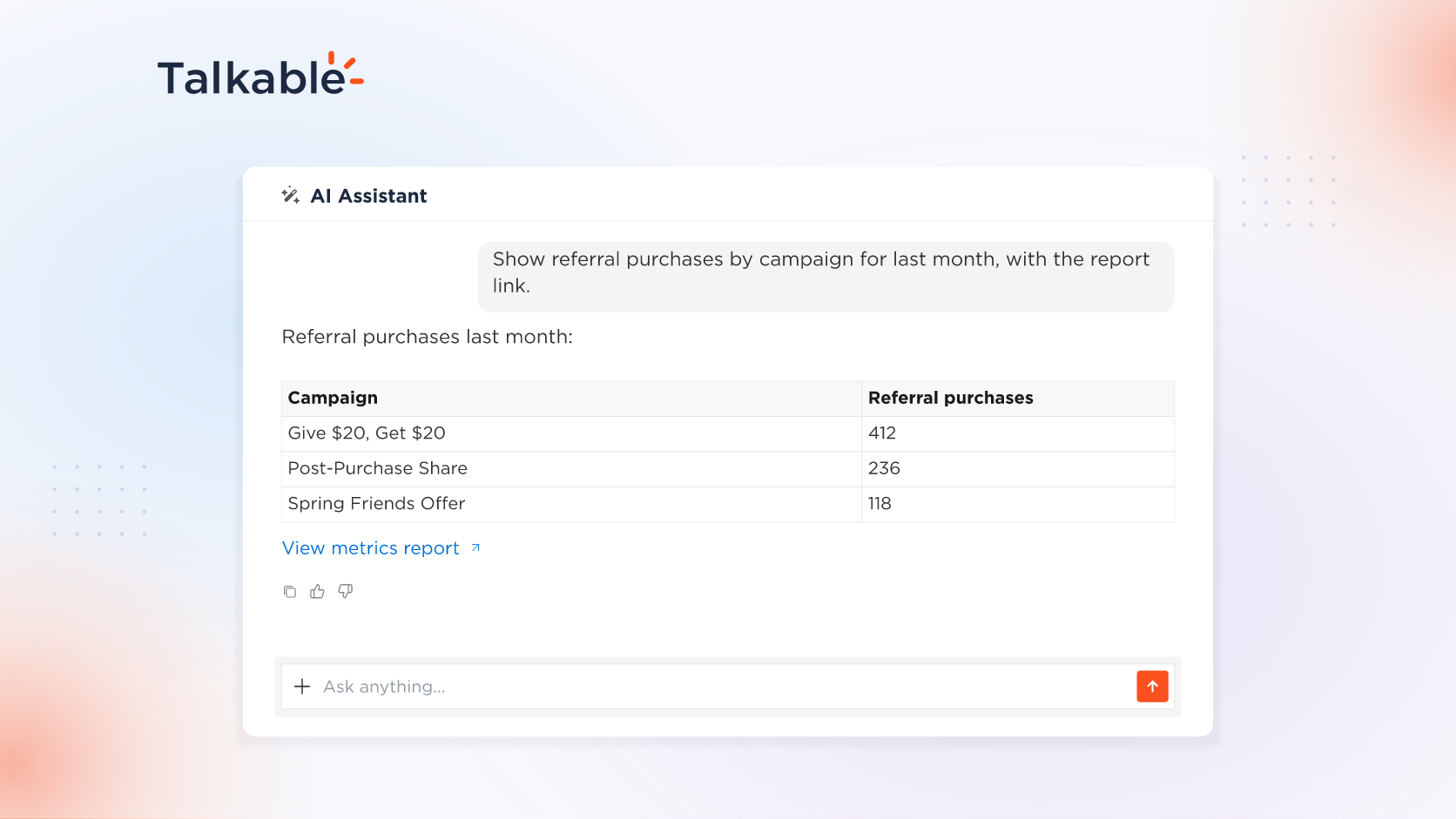
We’ve expanded the AI Assistant, which answers from your own metrics and setup, with answers you can check: ask how any part of Talkable works, and open the report behind every number.
A team acts on an answer when it can check it. Product answers rest on Talkable’s product documentation, and each number opens the dashboard report it came from, so your team can check the figures and take them further.
Here’s what you can do:
- Product answers from Talkable’s documentation. Ask how attribution, rewards, or any feature works, and get a plain-language answer grounded in Talkable’s product documentation.
- The report behind every number. Each data answer links to the matching dashboard report with the same filters applied, to check the numbers, go deeper, or export the report to CSV. Ask which report answers a question, and the assistant finds it.
- Screenshots and files, read with your data. Paste or attach a screenshot, CSV, or text file, and the assistant reads it alongside your program’s data in the same answer.
- Rate any answer. Each answer takes a thumbs up or down, right in the conversation.
Try: “How does Talkable attribute a friend’s purchase to a referral? Then show our referral purchases by campaign for last month, with the report link.”
With product answers and the report behind every number, the AI Assistant gives your team answers it can check and act on.
For example prompts, see the Reporting and support documentation.