
















We’ve added Featured Actions and Apple’s new Poster Generic pass style to Talkable Wallet.
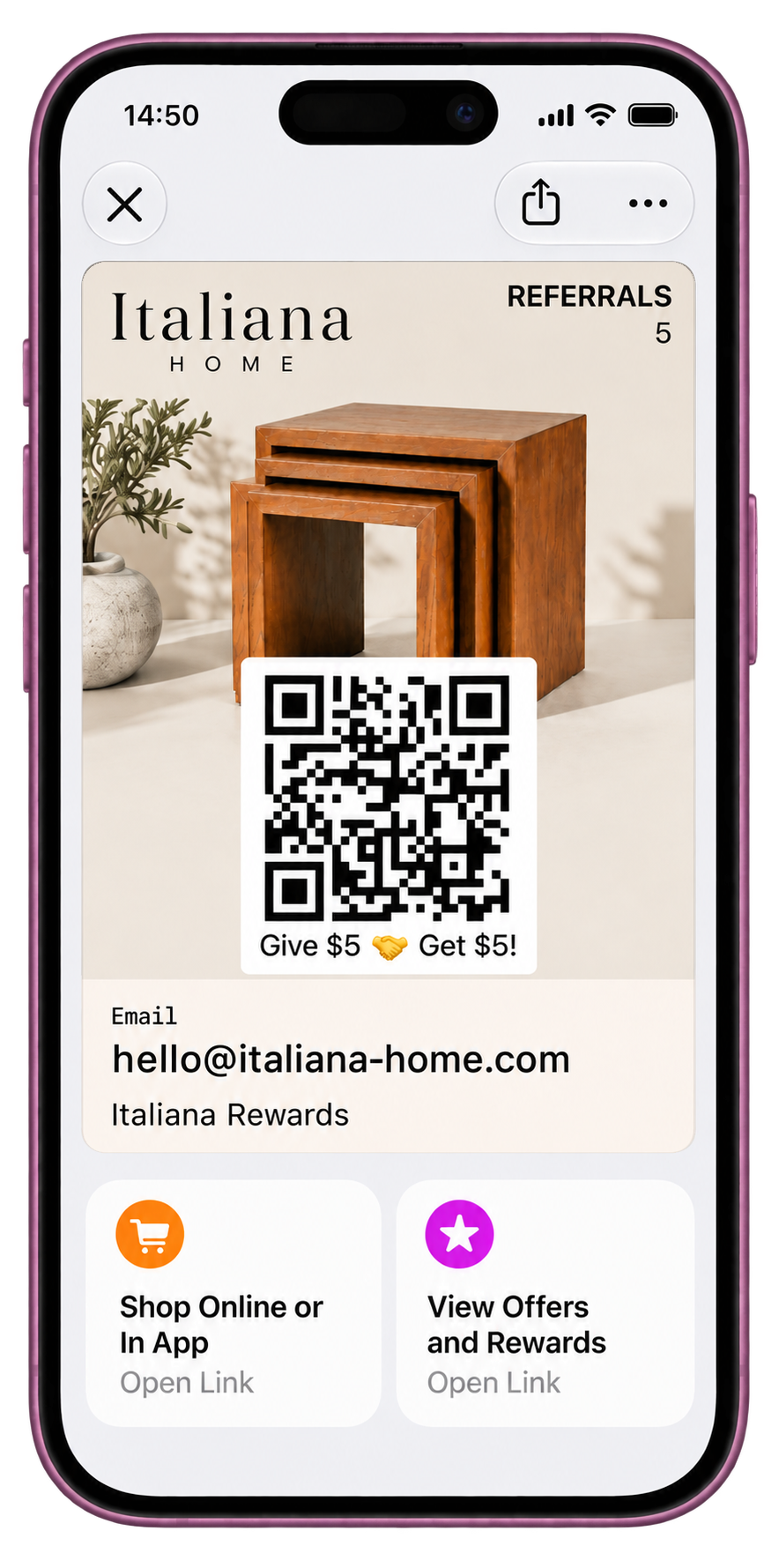
On iOS 27, a Wallet pass can carry up to two Featured Actions on its face, over full-bleed brand artwork.
Before iOS 27, the front of a pass held the barcode and fields, and every link waited on the back. Now the store, the offer, or the referral page is one tap away when a push notification opens the pass or whenever a customer opens it from Wallet.
What’s new
- Two Featured Actions on the pass face: Choose each tile’s Apple action type, including Shop Online or In-App and View Offers and Rewards, plus the URL it opens.
- Per-tile click attribution: Talkable tracks each tile separately and reports tile engagement alongside Wallet push-notification performance.
- Full-bleed Poster Generic artwork: Brand artwork fills the pass face, with customer details and the barcode drawn over it.
- Side-by-side Editor preview: Preview the Poster Generic face, Featured Actions, and classic fallback face, each with its own barcode.
- One pass, both layouts: iOS 26 and earlier automatically show the classic face. iOS 27 also supports Code 39, Codabar, EAN-13, and ITF barcode formats with a fallback barcode for older devices.
For brands, the face of the Wallet pass becomes part of the campaign: artwork in the brand’s own look and up to two trackable destinations a customer can reach in one tap.