

Version History for Your Referral Campaigns

Product version
16.10.22Date
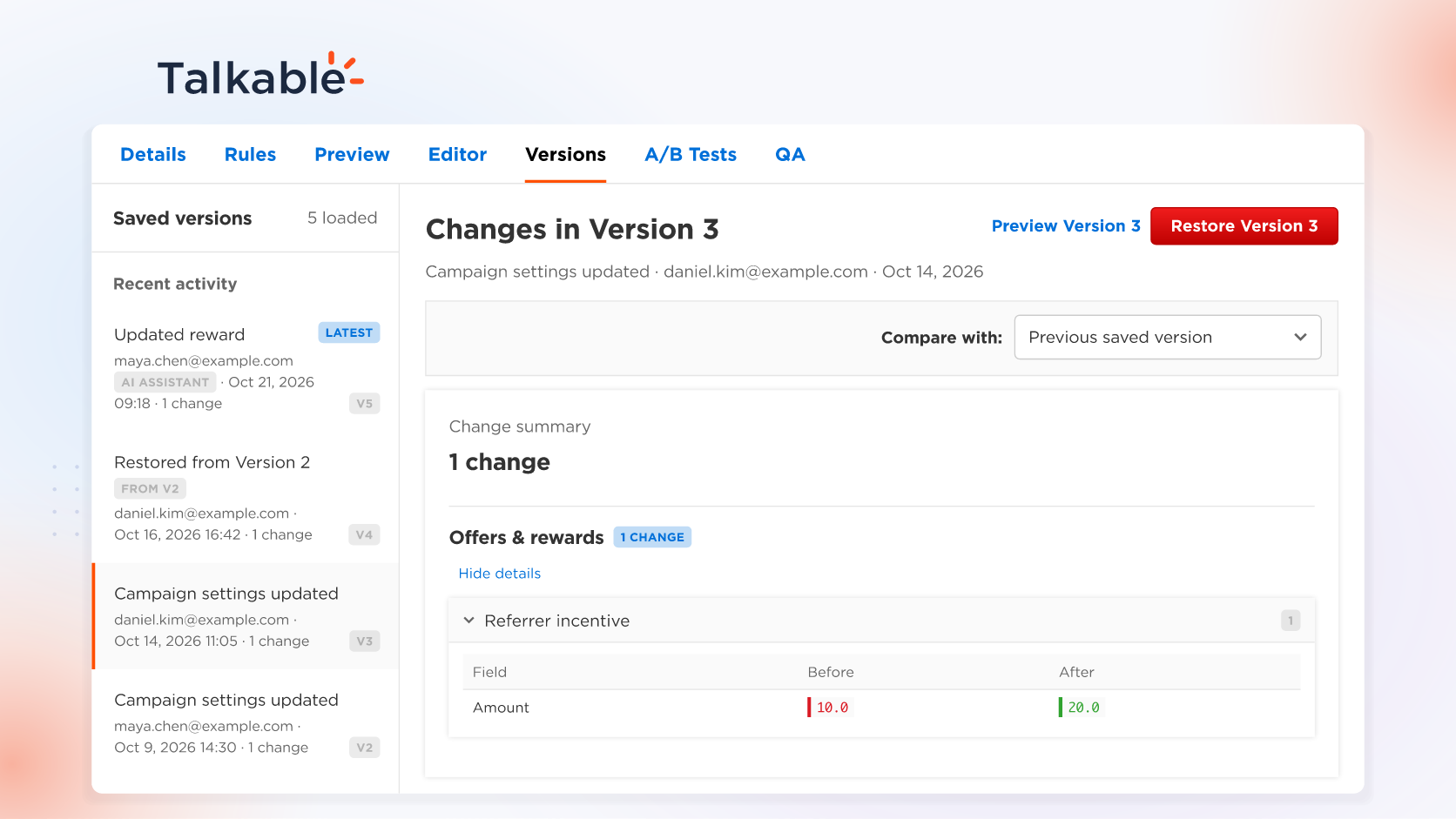
With this update, every referral campaign keeps a version history: who changed what, a preview of any earlier version, and a restore when you want one. Restore from the campaign’s Versions tab, or ask the AI Assistant to undo its own change.
A referral campaign keeps evolving: a seasonal reward, a new headline, an A/B test. Version history keeps each step, so every idea your team tries leaves a way back.
Here’s what you can do:
- Every version, with who and why. Each version holds the whole campaign, from settings and rewards to pages, emails, copy, and A/B tests. It records who made the change, its source (your team, the AI Assistant, the API, or a restore), and a summary.
- Undo an AI Assistant change. While you build in test mode, ask the assistant to undo a change. It shows a before-and-after and restores the earlier version when you approve. Because it saves the campaign before each change it makes, its change can be undone exactly.
- Compare and preview in the Versions tab. Compare a version with the one before it or any other, and open Preview Version to see the campaign pages with it applied.
- Restore live campaigns too. In the Versions tab, Restore Version shows what will change, keeps the campaign’s status and schedule, and saves the result as a new numbered version.
Every change you approve when the assistant builds a campaign with you or refines its campaign pages is saved as a version, beside your team’s own edits.
Try: “Undo your last change to the Summer Sale campaign, and show me what will change before you restore it.”
With version history, every change to a referral campaign stays on record, and your team can try the next idea with confidence.
For setup details, see the Building campaigns with AI documentation.