













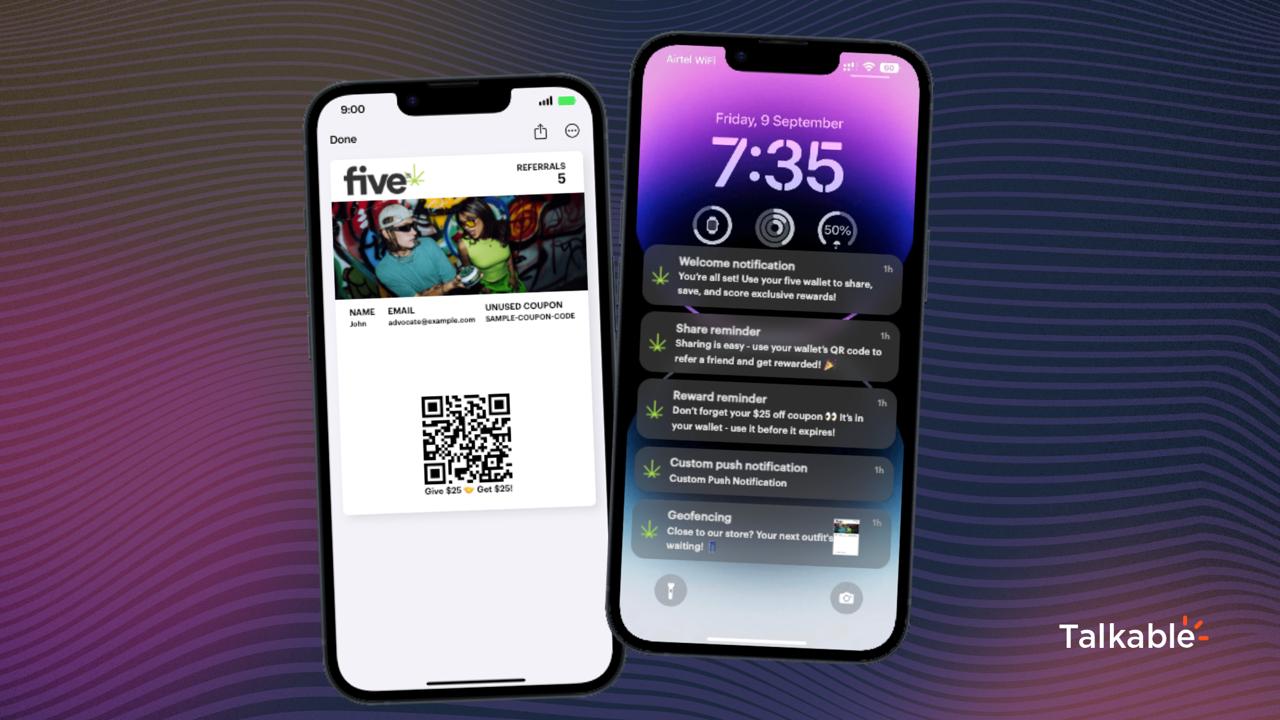
Your customer just put your brand on their lock screen. They tapped the pass, confirmed the OS prompt, and manually placed it in their wallet. That is the most intentional thing a retail customer does outside of actually handing over money. Most marketing stacks treat it like a system event and move on.
This needs to change, and now it can. Talkable just shipped a post-install webhook event in the Custom App. When someone installs your wallet pass, a POST request fires to any endpoint you choose. That single event can trigger a Klaviyo welcome flow, award loyalty points, nudge an SMS opt-in, feed a CDP segment, or ping your rep for a high-LTV account. All of it automatic, all of it in real time.
deliberate steps to install a wallet pass vs. one click for email signup
time between install and webhook fire - the trigger is real-time, not batched
endpoint works - Klaviyo, Attentive, Segment, GA4, your own custom stack
Install is the moment most brands miss
Email list growth gets a dashboard. SMS opt-ins get a funnel metric. Wallet pass installs? For most brands, the install registers somewhere in the backend and triggers one default welcome email. Full stop.
That gap has always bothered me. The customer who installs a wallet pass did something email subscribers almost never do: they acted intentionally in their phone's OS. They tapped "Add to Apple Wallet" or "Add to Google Wallet," accepted the permission prompt, and now your brand sits behind their lock screen. That is a different quality of engagement than ticking a newsletter checkbox at checkout.
Installing a wallet pass is a voluntary, intentional commitment that happens inside the OS itself. It is harder to do and harder to undo than subscribing to an email list. That signal deserves better than a single default welcome email.
Before this update, the install event lived inside Talkable. You could send a welcome email. That was it. You had no way to fan out to Klaviyo, fire a CDP event, award loyalty points, or send an SMS - all the downstream automations your team has already built for other onboarding moments.
Email signup vs. wallet install: what the intent gap looks like
The friction difference is real and it matters for how you sequence your response. Here is a side-by-side breakdown.
The old way vs. the new way
Before this feature shipped, install was a dead end outside of Talkable. Here is what the flow looked like before and after.
Six plays you can run on install today
The webhook fires a POST to any endpoint. What you do with it depends on your stack. Here are six plays worth wiring up right now.
These plays are not mutually exclusive. The webhook fires once per install. Your endpoint can fan it out to every tool simultaneously. The install happens once; every automation you have built fires in parallel.
Our team can show you exactly how to connect the install webhook to your Klaviyo account, loyalty stack, or CDP in under an hour. We've done it across a lot of different stacks.
Let's TalkHow to set it up: the toggle, the endpoint, the payload
The setup takes about five minutes if you already have an endpoint ready. Here is the exact flow.
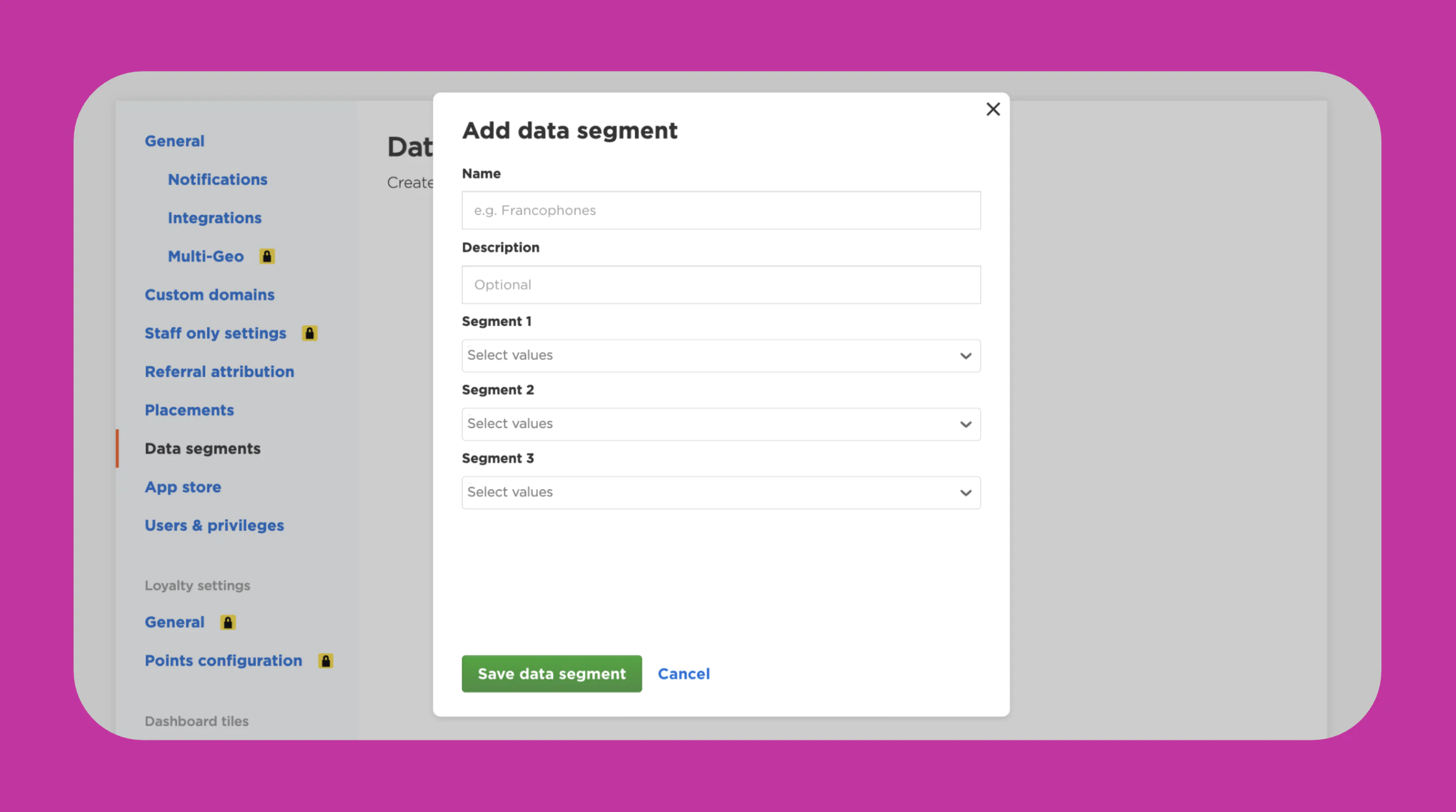
Open your Talkable Custom App editor. Find the toggle labeled "Send Wallet Install Event." Enable it. Enter your endpoint URL. That's where the POST will fire every time someone installs your pass.
Before going live, hit the "Send sample payload" button. It fires a test POST to your endpoint so you can verify the connection and inspect the payload shape before real customer installs start coming in.
1. Enable the toggle
In Custom App editor: turn on "Send Wallet Install Event" and paste your endpoint URL.
2. Test the connection
Click "Send sample payload" to fire a test POST. Inspect what your endpoint receives before any customers go through.
3. Route the payload
Your endpoint receives the POST on each install. Fan out to Klaviyo, your loyalty platform, Segment, or any other tool from there.
4. Track as an event
Pass install data to GA4 or your CDP. Install becomes a named step in your funnel alongside purchase and email signup.
The payload includes enough data to identify the customer and the pass. You have what you need to look up their record in Klaviyo, match them in your loyalty platform, or build a segment in mParticle. You don't need to configure any additional mapping on the Talkable side.
Compatible with Klaviyo and any webhook-capable integration - which is almost everything in a modern ecommerce stack. If your tool can receive a POST request, this works with it.
What this unlocks long-term: install as a first-class event
The immediate plays above are the obvious starting point. But the bigger shift is what install becomes when it is a real event in your data layer.
Right now, most brands have purchase, add-to-cart, page view, email open, and SMS click as named events they can analyze across tools. Wallet install has been sitting outside that group - visible inside Talkable, invisible everywhere else.
Full funnel attribution
Install sits between "referral link clicked" and "first purchase" as a measurable step. See drop-off, conversion rate, and time-to-purchase for wallet install cohorts.
Cohort analysis
Compare 90-day LTV for wallet installers vs. email-only customers vs. SMS subscribers. This is the data that justifies the wallet investment.
Lookalike audiences
Upload wallet installer cohorts to Meta or Google. Build paid acquisition campaigns that target people who look like your highest-intent customers.
Predictive signals
Feed install data into churn prediction models. A customer who installs the wallet pass and engages with push notifications is a different retention risk than one who doesn't.
The brands that will extract the most value from wallet passes are the ones that treat install as a first-class event from the start. The data compounds. A year from now, you want a clean cohort of every customer who installed your wallet pass, when they did it, and what they did next. That data only exists if you start collecting it today.
Check out what else is possible with Talkable Wallet, or see how wallet passes fit into a broader referral strategy. And for a look at what other features have shipped recently, the product updates page has the full list.
Does this work with Klaviyo out of the box?+
Yes. Klaviyo accepts POST requests via its Track API. Your endpoint receives the install payload from Talkable, maps the customer identifier, and fires the Klaviyo track call. The customer then enters whatever flow you have configured for that event. If you use a middleware like Zapier or Make, you can do this without any custom code.
What data comes in the payload?+
The payload includes enough to identify the customer and the event: timestamp, customer identifier, pass type, and campaign context. Use the "Send sample payload" button in the Custom App editor to see the exact structure before you build your integration. That way you know exactly what fields you're mapping.
Can I send to multiple endpoints at once?+
The toggle points to a single endpoint URL. If you want to fan out to Klaviyo, Segment, and GA4 simultaneously, the standard approach is to point the endpoint at a lightweight function (Lambda, Cloudflare Worker, Zapier webhook) that receives the payload and routes it to each destination. This is a common pattern and takes about 30 minutes to set up if your team has done it before.
Does this replace the default welcome email?+
No - the default welcome email still fires. The webhook is additive. You get the default email plus any downstream automations you configure. If you want to suppress the default email in favor of a Klaviyo flow, that's a configuration choice on your side, not something that requires disabling the default.
Does this work for both Apple Wallet and Google Wallet passes?+
Yes. The "Send Wallet Install Event" toggle is platform-agnostic. Whether the customer installs on iOS via Apple Wallet or on Android via Google Wallet, the POST fires to your endpoint. The payload will include context that lets you differentiate by device type if you need to route differently.
How do I know the webhook is working correctly?+
Use the "Send sample payload" button before going live. It fires a real POST to your endpoint so you can confirm the connection, inspect the payload, and verify your downstream tool is receiving data correctly. After going live, monitor your endpoint logs for incoming requests on installs and check that the downstream tools are showing new events.
We're not on Talkable Wallet yet. Is this a reason to look at it?+
It's one of several good reasons. Wallet passes give you lock screen presence, push notifications without app dependency, NFC sharing for in-store referrals, and now real-time install webhooks for downstream automation. If you're running a referral program and want to understand how wallet passes fit in, start with the Talkable Wallet overview or have a conversation with our team about your specific setup. See what brands like yours have done with it on our case studies page.